
Free comparison tool
Cloud vs On-Premise Phone Systems: Which Costs Less?
Answer a few quick questions about your business and see how a cloud phone system and an on-premise system compare on upfront cost, monthly cost, growth and upkeep. The comparison is based on how phone systems are priced and installed in Australia.
Compare them for your business
Over 5 years, cloud is likely to cost less.
On published Australian prices, a new on-premise system for a team your size usually costs more over this period: the phone system, licences and installation up front, then SIP trunks and maintenance every month.
| Factor | On-premise | Cloud |
|---|---|---|
| Overall cost over 5 years | Higher | Lower |
| Upfront cost | Higher | Lower |
| Monthly cost | Medium | Medium |
| Adding staff or offices | Medium | Lower |
| Upkeep on your side | Higher | Lower |
| Call quality risk on your connection | Lower | Medium |
A general guide based on how phone systems are usually priced in Australia, not a quote. Real costs depend on the provider, the handsets you choose and the contract.
Get one clear quote
We’ll use your answers and your details to quote on what you need.
Worth knowing
- Check your NBN connection type with your internet provider. Both kinds of system make outside calls over it, so it affects call quality either way.
- Whichever you choose, you can usually keep your existing numbers, including 1300 and 1800 numbers.
The costs
What you pay for with each
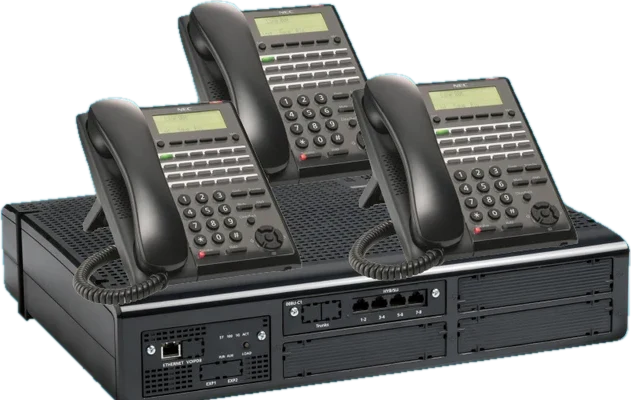
On-premise
The phone system (a PBX) sits in your office. You buy it, along with the handsets, and pay for installation up front. After that the ongoing costs are your call plan, usually through SIP trunks over the NBN, and a maintenance plan if you want one. You own the equipment, and it is yours to replace when it ages.
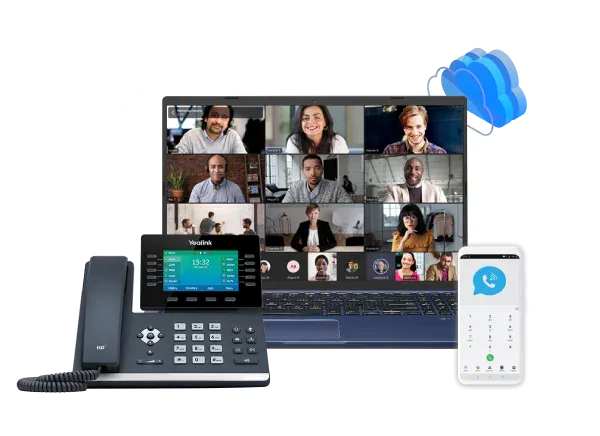
Cloud
The phone system runs in a provider’s data centre and you pay a monthly fee for each user, which usually includes the system, updates and support. You still buy handsets, or staff use an app on their computer or mobile. Adding someone is usually a matter of adding a user to the plan.
Australia
Things to know in Australia
Both now run over the NBN
With the old copper network and ISDN switched off in most areas, an on-premise system makes outside calls over your internet connection too, through SIP trunks. The connection matters whichever you choose.
Keeping your numbers
You can usually take your existing numbers with you, including 1300 and 1800 numbers. Porting times are set by the carriers, so allow some lead time before a move or changeover.
Blackouts and outages
NBN equipment needs mains power. Ask providers about battery backup, and whether calls can divert to mobiles if your internet drops.
000 calls
Your provider records the address of each site so emergency calls can be located. Keep it up to date when staff move or work from home.
Where your data is kept
If call recordings need to stay in Australia, ask cloud providers where their servers are.
Tax
Equipment you buy and a monthly subscription are treated differently at tax time. Your accountant can tell you which suits your business.
Which suits
When each tends to suit
When cloud fits
On published Australian prices, cloud usually costs less for a new system, and the gap is widest for small teams. It also suits staff who work from home or on the road, and businesses with more than one office.
When on-premise fits
On-premise makes the most sense when you already own a system that still works well, because SIP trunking can connect it to the NBN without replacing it. For a larger team buying new, a lower-cost IP system kept for five years or more can come close to cloud, so it is worth getting quotes for both.
Not sure which suits you?
If you are still not sure, tell us about your business and we will compare the options for you and send a quote.